Put the final gloss on your AI-made song.
That AI-generated track is good — but 2% off. Smeared highs, boxy lows, vocals that don't quite sit. Gloss polishes it automatically: drop in a file and go from diagnosis to finished master in one pass.
Windows 10/11 (64-bit) · No sign-up · Works offline
Same song, same section, loudness-matched — what changes is the texture, not the volume. Toggle Original↔Gloss while it plays.
Good song.
Not quite finished.
Put an AI-generated track next to a commercial release and certain things stand out. The song isn't bad — most of the time it just hasn't been finished.
The sparkle in the highs got lost somewhere — next to commercial tracks it sounds oddly congested.
Pitch-perfect but strangely hard to love. A voice that feels pasted on top of the track.
One band rings through the whole song — a minute in, your ears give up before you do.
Not claims — actual screens
Every shot below is from a real track processed in Gloss just now.
Not just a score — plain words
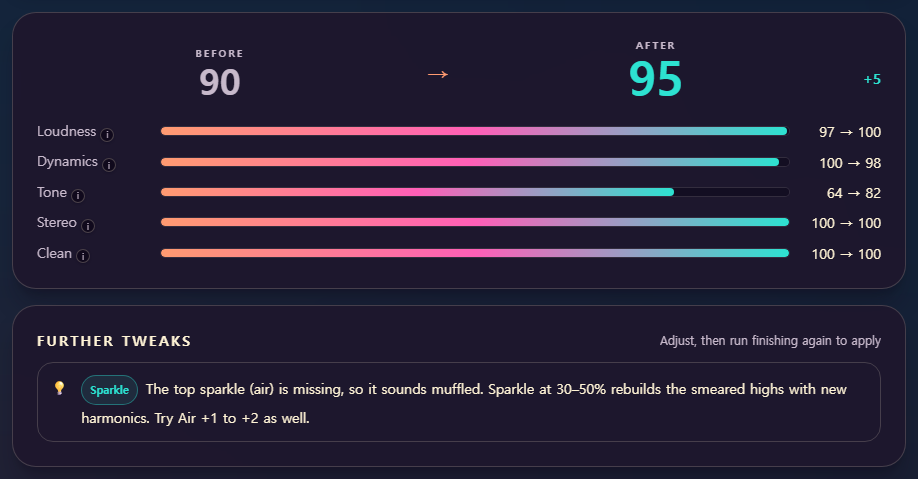
A Before → After score shows how much it improved, and plain-language tips tell you what to tweak next.
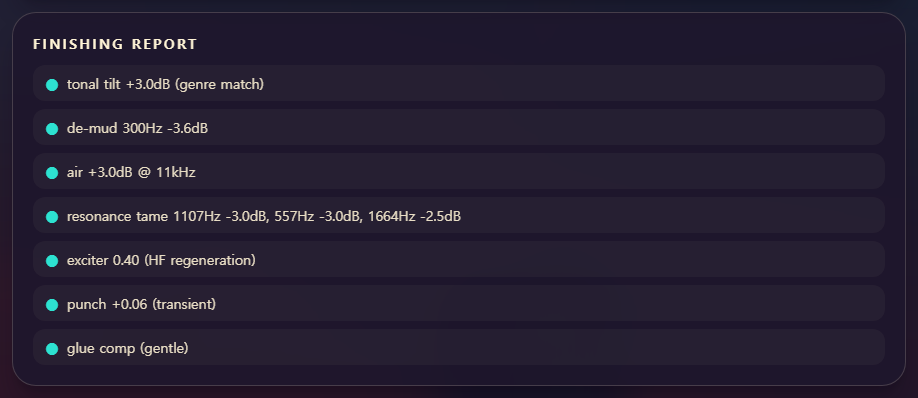
See everything it touched
When auto-finishing is done, you get a report of exactly what was changed — so you can see why it sounds better.
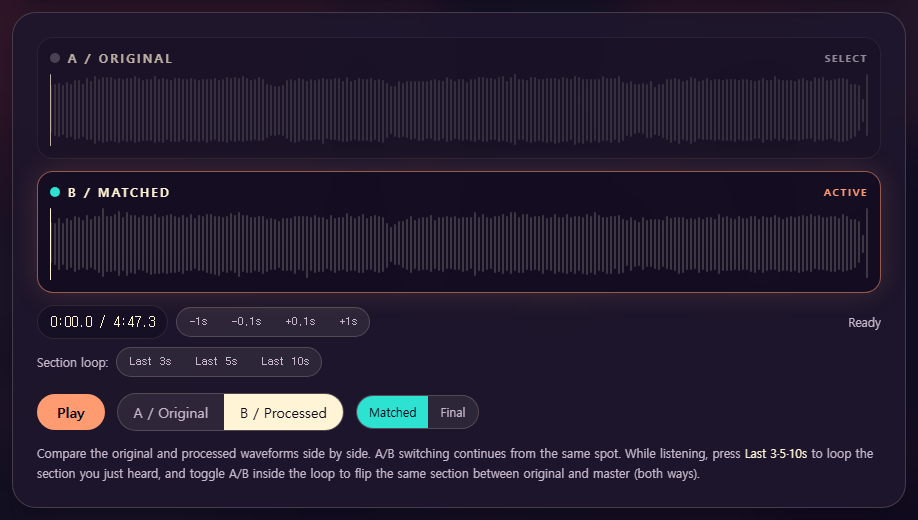
"Did it really change?" — trust your ears
Flip between original and master at the exact same spot, as many times as you like.
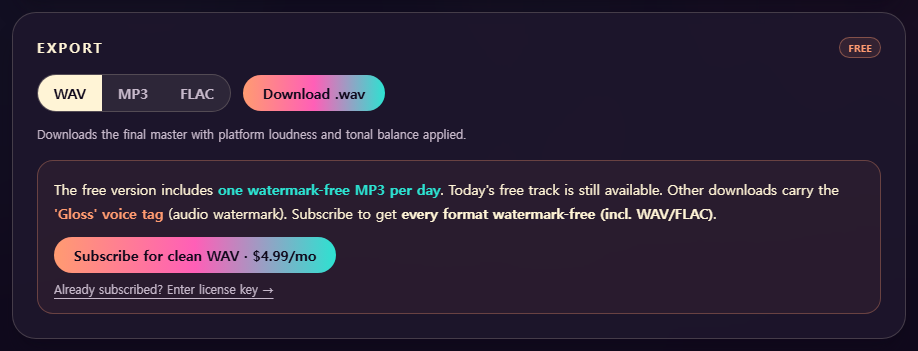
Like it? Export it.
Download as WAV, MP3, or FLAC. Free includes one audio-watermark-free MP3 per day.
Your songs never leave your computer.
Gloss has no server. Your audio files and processing data are never uploaded — analysis and finishing all run on your PC
— no uploads, no queues, no leaks. Works with the internet off.
Try everything free first
- Every analysis & finishing feature, free
- One audio-watermark-free MP3 per day
- More tracks and clean WAV·FLAC exports are Pro
- Full auto diagnosis + finishing
- 8 sliders · stem mixer · A/B loop compare
- All genre presets
- Watermark-free MP3 download, 1 track/day
- Other exports carry an audio watermark ('Gloss' voice tag)
You'll see a warning on install — that's expected. We haven't
added a code-signing certificate yet, so Windows flags the file as
"not commonly downloaded". A certificate is on the way.
In the browser: download item ··· → Keep
On launch: More info → Run anyway
- Everything in Free
- Every track, every format (incl. WAV/FLAC), watermark-free — release-ready, no daily limit
- New genre packs · ongoing engine updates
- Use on up to 2 devices
Supports Windows 10/11 (64-bit) · Auto-renewing subscription — cancel anytime (Pro stays active until the end of the paid period) · Payments and license keys are handled by Lemon Squeezy.
Frequently asked
Does it work on songs I recorded myself, not just AI?
Yes — tracks from any generative-AI tool, and your own recorded demos too. That said, the engine specializes in typical AI-generation artifacts (smeared highs, sustained resonances, pasted-on vocals), so the effect is biggest on AI tracks.
How is this different from a mastering service?
Two ways. ① Regular mastering targets level and tone; Gloss targets the fatigue artifacts of AI-generated audio. ② Your song is never sent to a server — everything runs on your computer.
Is the watermark really the only limit of the free version?
Yes. No feature, track-count, or duration limits. You get one audio-watermark-free MP3 per day; other exports just carry a short, periodic 'Gloss' voice tag (audio watermark). Listen as much as you want — subscribe when you're ready to release.
Can I cancel anytime?
Yes. The subscription auto-renews and you can cancel anytime; Pro stays active until the end of the period you've paid for, and after that the app keeps working as the free version. Payments and refunds are handled through Lemon Squeezy.
Do I need any music knowledge?
That's the whole point. It's one-click auto by default, and diagnostics come in plain words like "sounds muffled — try Sparkle at 30%." Every control has built-in help.